2007-11-12

Eee PC review

So, as I mentioned earlier, I have already got my Asus Eee PC. It is white 701 model with 900MHz Intel Celeron-M ULV 353, 512 MB DDR2-667 RAM, 4 GB SSD drive, Linux, integrated camera and microphone, 3x USB, MMC/SD/MS card reader, 802.11b/g wireless LAN, 10/100 Mbit Ethernet and 5200 mAH battery. It has 7'' TFT LCD with LED backlight.

Of course, the most of you probably know specifications of this device, so I will not going to discuss them. I used it for three days quite extensively. In short: It is great product. I was surprised how flawlessly this computer worked. Customized Linux shines and it is very simple to use. I tried to attach USB mouse, external hard drive, USB flash drive, SD card from my camera and they were recognized immediately. A keyboard is surprisingly comfortable (which denies my earlier post about "not very great keyboard"). Touchpad works ok. Sound from speakers is quite good too. Standard software allows you to do any common operations with your computer. You can browse with Mozilla Firefox, chat in various IM protocols with Pidgin and call with Skype. There is various shortcuts to various Google products (iGoogle, Google docs and others), wikipedia. Office suite experience is provided by OpenOffice.org. There is also Adobe PDF reader. You can watch films, play music and manage photos with specialized programs. Some linux (including KDE) games are included too (frozen bubble and tux racer one of them). I didn't mention all installed programs, there is also some other utilities and educational software.

Overall experience is very pleasant. Everything feels like made professionally without annoying bugs. Eee PC really boots and shut downs very fast. I recommend with computer for all, who wants small and light device for ordinary tasks and don't want to pay a lot of money for it.

It has minuses too. Firstly, it is a short battery life. What is more, after it completely discharged it takes quite a long time to charge again, especially, if you work with the computer (when it charges "forever"). Other minus is wireless configuration. Computer doesn't remember wireless configuration (for example, WEP key) after shut down and you always need to configure wireless connection once again. This is very annoying. Update (2007-11-14 8:31): I didn't notice an icon in a taskbar where you could reconnect wireless connection without reconfiguring it (My sister found it somehow :D). If you make a mistake in wireless configuration, connection goes to pending mode and you can't reconfigure it without rebooting or killing some processes (you can also try to connect to another wireless connection to solve this). If you want to do with linux something more you can have more problems too. Lastly, almost any update requires reboot (what is quite strange). Someone can call a minus that the computer becomes quite hot after long usage in the bottom.

So, this is all for now. I will add some photos later.

You can look at the linux interface demo here: http://honeypothack.com/eee/.
2007-11-08

Asus Eee PC

Time magazine named iPhone invention of the year. Probably, I would call it product of the year (it does not look like the invention or something), but this is not the point. It is difficult for me to agree or not, because all its restrictions disallows even a opportunity to get it in Lithuania. Of course, I can get the one unlocked from AT&T in black market, but it would be overpriced there and you can't update your software. However, there is another product which a little bit surprisingly became a great success and can be called a product of the year too (IMHO). This is an ultra-portable laptop called Eee PC and made by Asus. It is cheap (though it will become even more cheaper in the future in my opinion), very small but still enough capable and comfortable (not to small), beautiful (it resembles Apple Mac laptops probably), extensible and fast. Linux (customized Xandros distribution) or Windows XP can be installed by default. Linux boots in less than 10 seconds and shut downs in 5. You can never get these numbers with standart PC. It is possible that this product will revolutionize laptop's market and other manufacturers will try to introduce similar products with the similar price tag (some similar alternatives are much more expensive and not broadly available these days).

Of course, nothing is perfect in this world and Eee PC has its minuses too. A small SSD hard drive (4 GB or 2 GB flash drive) requires to buy external storage (in flash or external hard drive form) if you plan to use it extensively and keep files in it. There is no CD/DVD drive, so installation of some new programs, especially in Windows, can be more painful (or once again you need an external CD-ROM drive, but it with additional storage will rise a price of the notebook to not such great point) . Even installation of new OS can't be done in standard way. The keyboard isn't very great too (from the reviews). The last but not the least if you want to upgrade RAM your warranty will be void. This is the biggest minus for me...

Why am I writing this? Yes, you guessed right. I ordered it too and should get it today or tomorrow. Because of this you can expect one more review from me either. I will confirm or deny advantages and disadvantages of Asus Eee PC and will try to see if it is really such great or it was just a hype and good marketing.

Update (2007-11-08 16:37):
I will get it only after one week at best probably (it's sad because I hoped to give it for my mother as present after she returned from abroad this week).

Update (2007-11-09 14:06):
I got it today :). Yahoo!

2007-11-02

WD Elements 500 GB

I have bought WD Elements Desktop 500 GB USB external hard drive recently. It is my first external hard drive, however, the need of it existed much earlier. I wanted other WD hard drive, however, this one wholesaler had in Lithuania and could be delivered to the shop following day, while another one existed only in Sweden and could be delivered only after several weeks. I decided that I couldn't wait any more.

The main purpose of this hard drive is back-up storage, however, it has enough space for other purposes (data which I can lost, however needs more space). This hard drive is very simple. It even doesn't have switch to on/off manually. It has no more functions than simple internal hard drive. However, it is very simple to use. You can just add it to USB connection and external power supply to power and you are ready to use (it is formatted fat by default and MS Windows see 465 GB of free space). In idle it is barely warm, under full load the hard drive is much warmer but not very hot. One more disadvantage is quite loud performance. You probably will not hear it if you computer works not very silently too, but otherwise noise is clear. Blue LED indicates that the hard drive works, there is also a green LED on the power supply. That's all about WD Elements this time.

2007-10-29

Microway PC164 Screamer - switch to srm console

I still don't have fully working Alpha system, however, my past experiences were about switching between AlphaBIOS and srm console. Like I said earlier, my motherboard came with AlphaBIOS. It can boot only Windows NT and some Linux distributions with this firmware. So I decided to change it to srm firmware. So I downloaded it from here, because Microway Screamer 400 is almost exact copy of AlphaPC 164. Firmware update went smoothly, however, after the system was rebooted I got only a blank screen with blinking cursor. After other reboots where was only a blank screen. Unfortunately, firstly I thought that BIOS didn't fit. I was quite disappointed and couldn't understand what I did wrong. I blamed myself for being hasty. After several days I began to read in the internet if there was something I can do. It appeared that firmware probably was right, however, a problem could be with video card or with the output mode (it can be serial or graphics). Srm console can't emulate BIOS'es of most current and earlier video cards. A list of compatible cards is not very lengthy. My old ATI Rage Pro and a little bit newer NVIDIA TNT2 PCI cards doesn't work with srm console. However, I needed to confirm this. The only way was through serial communication by connecting alpha system with any of my computers. The most known program for this purpose is HyperTerminal in Windows. So I bought null modem (serial) cable and connected to serial ports. First attempts weren't successful, however, I found two reasons of it. Firstly, cable was connected to COM2 port instead of COM1 on the PC and secondly Alpha system hanged up almost immediately with inserted ATI Rage Pro. So I pulled of video card, reconnected cable and after one more boot I finally relieved. HyperTerminal proved that firmware update was successful and the only problem is video card. Like I mentioned earlier, system always hangs with ATI card. It boots with NVIDIA TNT2 but hangs after trying to change output mode from serial to graphics. So, after this I needed to find a compatible video card. I didn't want to buy it from ebay, because they are too cheap (and still commonly more pricey than in Lithuania plus high delivery price from any part of the world). I decided to find it in Vilnius. It wasn't as easy as expected (some people tries to sell very old PCI cards for quite a big price because they are quite "rare" in our days). So I posted a request in one forum and few people answered. However, due to lack of time and other circumstances I got the card (S3 Virge/DX 2 MB) a week later. It costed me only two bottles of beer :). So the whole story ends with successful boot to srm console in graphics mode. I downloaded operating systems too. So, later steps would be the completion of the system (add hard drive, CD-ROM and to find a case for everything) and installation of Linux and/or NetBSD operating systems.

2007-10-11

Screamer finally booted!

I finally booted my Microway Screamer 400 today :). Thanks to my dad we soldered "engineering fix" to my motherboard. I made some photos but there were not good. This engineering fix grounded PSON signal on motherboard. Because of this I can use all standard power supplies. I bought one new power supply with hard switch and my motherboard with Alpha CPU booted. I didn't have time to do something more interesting, however, I looked at firmware options. It looks like that there is only ARC firmware, so I can't boot BSDs, only Linux. However, I will try to write SRM console later (it is PC164 clone, so I downloaded it here). I am a little bit afraid that it will not fit (it is quite risky), but I probably will never have an opportunity to boot Windows NT in it, so I am more interested in other OSes (not only Linux). Lack of time can put off these new experiments for a long time, however, as I will find even some free minutes I definitely will play with my new system.

CPU collection

I started to collect CPUs this year in spring. The first item was HP PA-8700 PA-RISC cpu. By date I am posting this post there are 18 processors in my collection. I defined that I would collect only non x86 architecture cpus and not in DIP package. Because of this most processors are RISC ones. There is also one Itanium cpu, one Motorola 68040 cpu and two exceptions (Intel Pentium4 2.0 GHz Socket 423 and AMD K6-2+ 500MHz), however, they are working in my secondary computers. These cpus were released by ten different manufacturers and represents 10 different architecture families. You can look at photos of most of them in here (still 5 or 6 missing). Photos aren't professional, however, you can see what I have. I will add more photos when I will find time. Later I expect to write some posts about architectures I have.

2007-10-05

Microway Screamer arrived

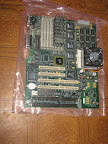
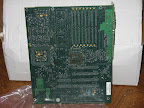
According to stamp on a package my motherboard arrived to Lithuania custom on 27 September. However, I got it only yesterday. Because of its weigth (~1,7 Kg), I needed to go to a post branch near our railway station (usually I am getting deliveries in a post near my house). However, my first visit was out of luck. It appeared that I needed to have a copy of invoice before I would get a delivery. The other day everything went quite smoothly. I paid 37 Lt of VAT for it...

The problems didn't end by this :). After I returned home, of course, I made some photos and tried to boot it up. It didn't showed any signs of life. I was very disappointed, I read the whole manual of the motherboard but didn't understand how it can be booted. Finally, I began searching for the reason of that in google. It appeared that this motherboard doesn't conform ATX standard though it has an ATX power connector... Firstly, the motherboard requires a power supply with the power switch connected directly to power supply. I have one power supply with such switch on the back panel, however, it is not enough. Such power supplies also require the PSON signal to be grounded. There are some more solutions, but I didn't try anything yesterday. So, I didn't boot the system and I will have to wait for the weekend to try it one more time.
Photos: